Introducing Duplia: your clipboard, reborn in the notch
Duplia is here — a clipboard manager for macOS that keeps everything you copy one keystroke away, living quietly in your Mac's notch. A one-time purchase of $9.99, with a 7-day free trial.
Why we built it
Every Mac user knows the moment: you copy something new, and the thing you copied two minutes ago is gone. Windows fixed this years ago with Win+V. On the Mac, clipboard managers exist — but they crowd the menu bar, open heavy windows, or ask for a subscription.
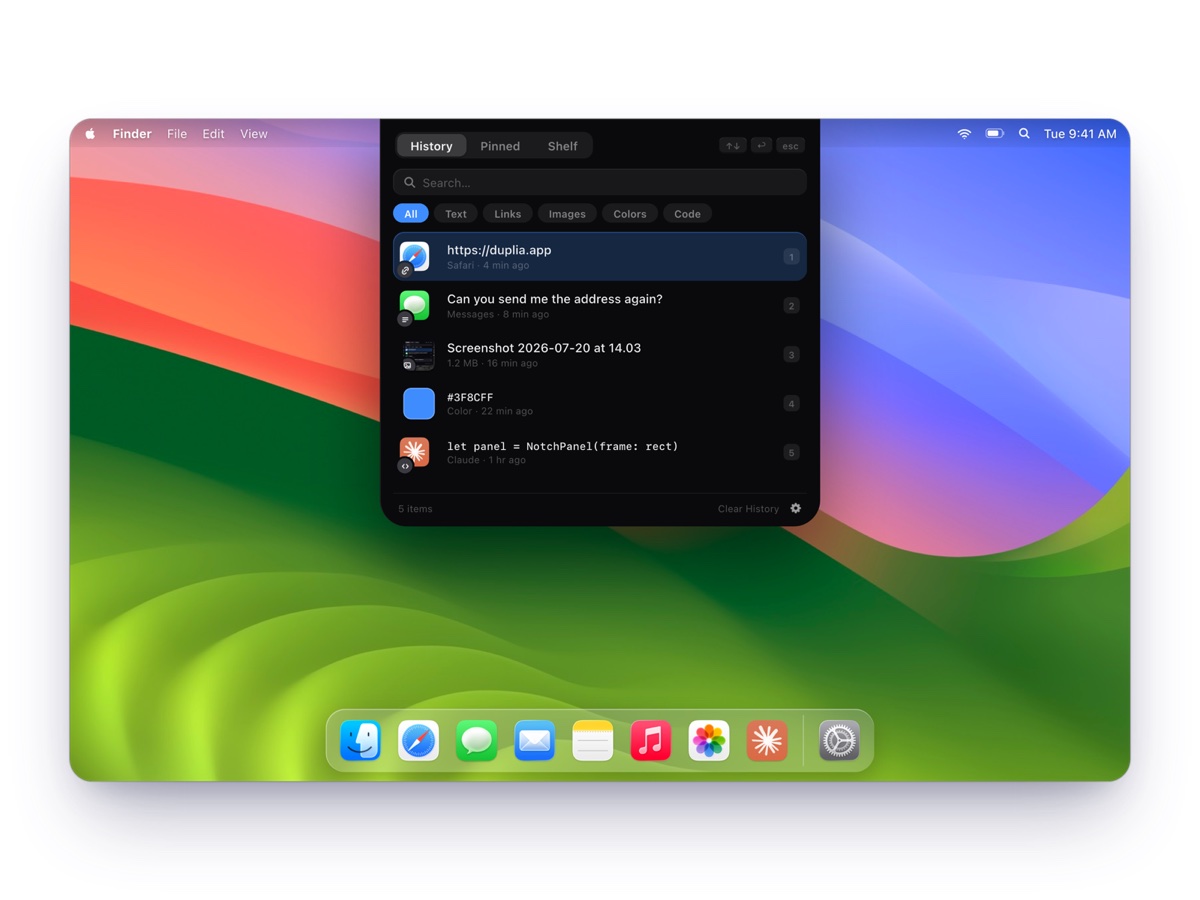
Meanwhile, there's a piece of screen real estate nobody uses: the space around the notch. Duplia turns it into the most natural home a clipboard could have. Press ⌥ V, and a panel springs out of the notch with everything you've copied. Pick a clip, hit return, and it's pasted into the app you're working in.
What's in the panel
- Clipboard history with automatic categories — text, links, images, colors and code are recognized on the fly, tagged with their source app and timestamp.
- Pins & frequently used — star what matters; what you paste often rises up on its own.
- A shelf for files — drag any file up to the notch and park it there until you need it.
- Keyboard-first — ↑↓ to select, ↩︎ to paste, 1–9 for instant paste, live search.
- Works without a notch — on external displays the panel materializes from the top edge, or right at your cursor with adjustable glass transparency.
Private by design
A clipboard manager sees everything you copy, so we hold it to the strictest standard: everything stays on your Mac. No cloud, no account, no tracking — and anything a password manager marks as confidential is never stored. More on that in our privacy deep-dive.
Pricing and what's next
Duplia runs on any Apple Silicon Mac with macOS 14 or later. It's a one-time purchase of $9.99 — no subscription, no account — and you can try it for 7 days first, without entering a card. One licence covers up to 3 Macs and includes every 1.x update. Feedback and bug reports go to hello@duplia.app — we read everything.
← Back to the blog